Travel eSIM · sorted before you fly

Data abroad,
before you land.

Pick your destination, pay in PLN and install your eSIM with a QR code. No hunting for a local SIM - once your phone is set up you use the plan instead of your home operator's data roaming.

Looking for available plans… Browse all plans
Price in PLN incl. VAT BLIK and online transfer No physical SIM needed
boarding pass
eSIM · CONNECTED
From
WAW
Warsaw
To
BCN
Barcelona
From
checking
Available plans
country · region · global
Status
Pick a plan
DPAY · TRVL · ESIM
Payment in PLNBLIK or transfer
Install detailsonce your eSIM is ready
1. Tell us where you are goingEnter the country or countries you will visit.
2. Pick a planCheck how much data you get, for how many days and what it costs.
3. Buy onlinePay in Polish zloty with BLIK or a bank transfer.
4. Install the eSIMOnce your eSIM is ready, you get simple instructions.
A plan for your trip

Pick a place.
We will show the plans.

Enter a country or a part of the world, say Europe. You will immediately see how much data you get, for how many days and at what price.

See all plans
From plan to connection

Three steps.
No running around the airport.

Buy before you leave, install over Wi-Fi and switch data on once you arrive.

Start with a destination
  1. 01

    Pick a destination and a plan

    Compare the data allowance, validity and country coverage. You see the full price in PLN before you buy.

  2. 02

    Pay online

    Use BLIK or an online transfer. Once the payment is confirmed we prepare your install details; you will find them on the order page and in your email.

  3. 03

    Install and go

    Scan the QR code or follow the iOS or Android instructions. The plan starts according to its own terms.

The dpaymobile app

Buying is only the start.

The website helps you pick an eSIM. The app takes it from there: installation, the plan data your operator shares, and top-ups for supported cards.

01

All your eSIMs in one place

Status plus the usage and validity data your operator shares - no digging through order emails.

02

Installation matched to your phone

QR code, manual details and step-by-step instructions for iOS and Android.

03

Top up without reinstalling

If your eSIM supports top-ups, you add data to the very same profile.

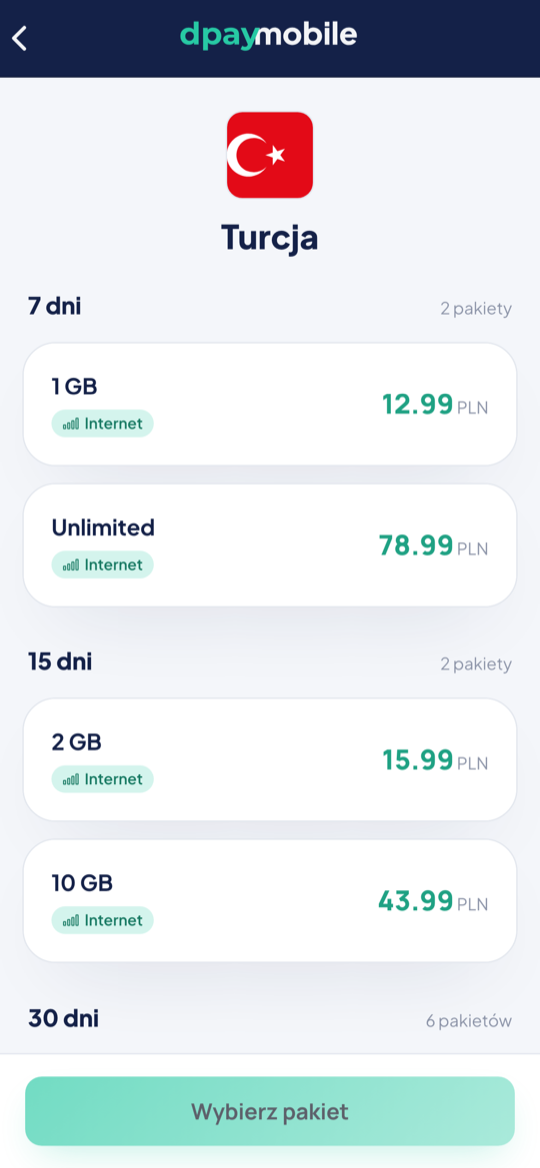
Plans for a selected country in the dpaymobile app
Choosing a plan
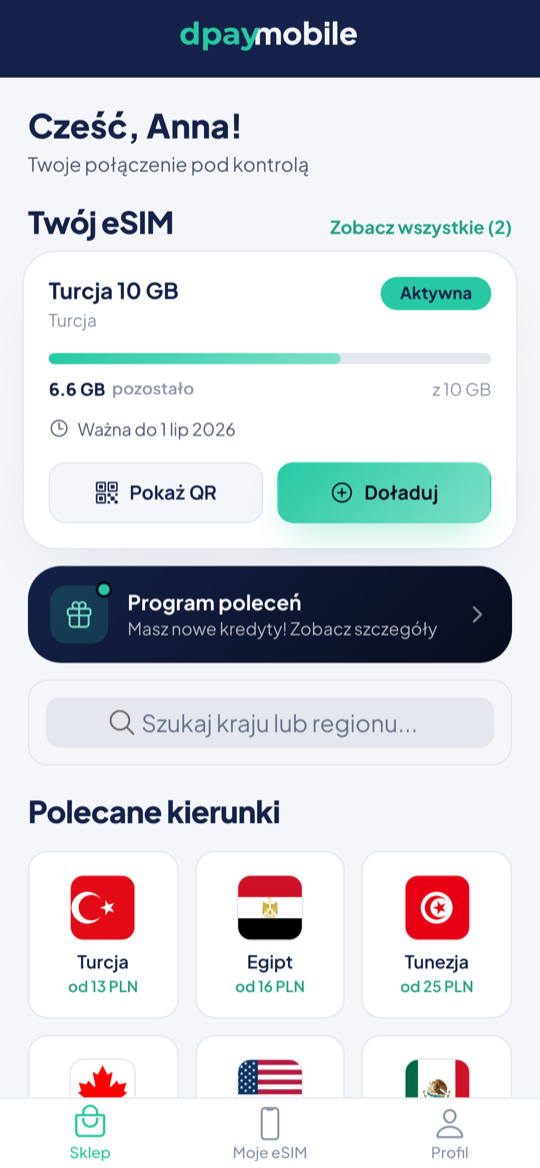
dpaymobile app home screen with an active eSIM
Your trip
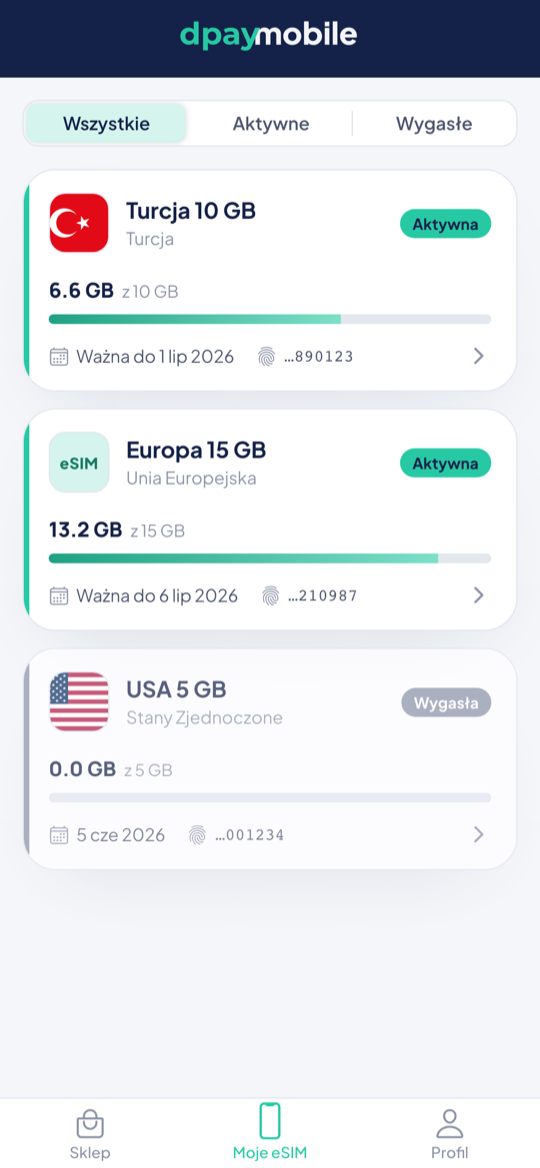
List of eSIM cards with data usage
Data usage
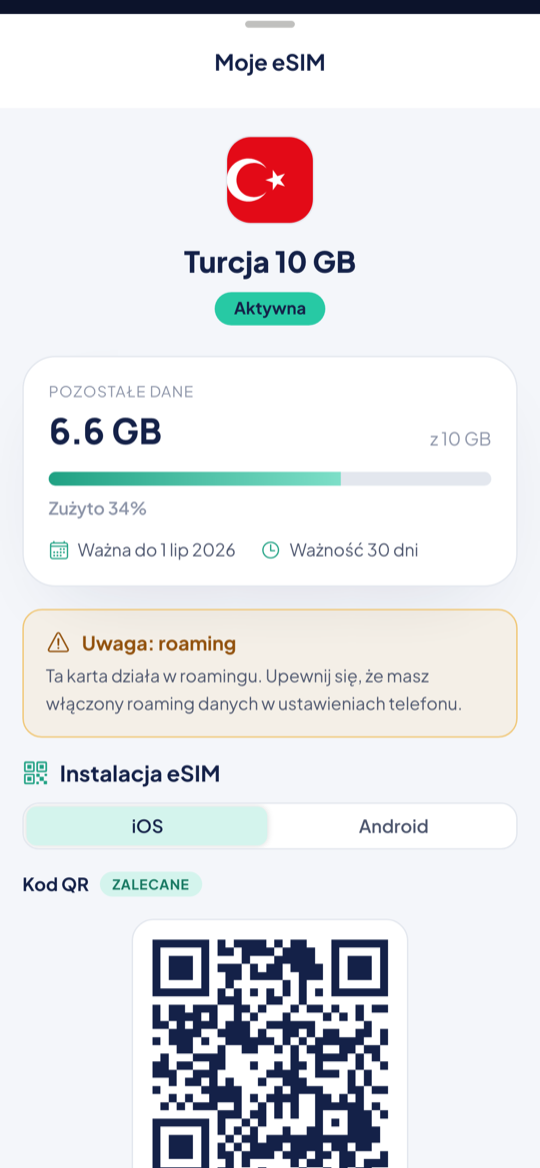
Installing an eSIM with a QR code QR readyStep-by-step installation
Already have a code?

Turn your dpay voucher into an eSIM plan.

Enter the code from your email, receipt or partner app. We will check its value and show you the available plans.

For business

Your customers are travelling.
Earn on what they will buy anyway.

Airports, travel agencies and exchange offices serve people who are about to need mobile data abroad. We will set eSIM sales up for you - equipment on loan, no investment, no stock to hold and no customer support on your side.

Explore the partner programme A quarter of an hour on a call
Before you buy

Check whether your phone supports eSIM.

eSIM works on iPhone XS/XR and newer, plus selected Samsung Galaxy, Google Pixel and Motorola models, among others. Always check the exact model, its regional variant and any SIM lock.

Apple · Samsung · Google · Motorola
How do I check my phone?
Help before and after your purchase

Questions worth asking before you fly.

The essentials on installation, activation, usage and refunds.

Cannot find your answer? Write to us
When does the plan validity start?

When validity starts depends on the plan and the operator. On many plans the countdown begins the first time the eSIM connects to a supported network, but some plans follow a different activation policy.

Check the terms of your plan before installing. If they allow installing early, you can do it at home on stable Wi-Fi.

Does my phone support eSIM?

eSIM works on iPhone XS/XR and newer, plus selected Samsung Galaxy, Google Pixel and Motorola models, among others.

Before buying, always check the specification of your exact model, its regional variant and any SIM lock.

How do I install an eSIM?

After the purchase you receive your install details. The simplest way is to scan the QR code in your phone's mobile network settings. Manual details and installation paths for iOS and Android are available too.

Install the card while still on stable Wi-Fi, and do not delete the eSIM profile afterwards.

The card is not working - what should I check?

Set the new eSIM as your mobile data source, turn data roaming on for it, and turn data off on your home SIM. Then switch airplane mode on and off.

If your plan requires an APN, use the value from the instructions attached to your order. After you arrive, the phone may need a moment to register with the local network.

How do I check my data usage?

For metered plans, where the operator provides monitoring, the order page and the app show your remaining data and validity. Unlimited plans have no classic allowance counter.

Unlimited plans follow a fair usage policy: full speed up to 3 GB within a 24-hour window, then up to 1 Mbps until that window ends. The allowance renews every 24 hours, counting from the first activation.

Can I top up the same card?

If your eSIM supports top-ups, the order page or the app will show the available plans. The data is added to the same card - no reinstallation needed.

Will I get a VAT invoice?

Yes. Plans are sold by Payments Lab sp. z o.o. and every purchase gets a Polish VAT invoice, company details included.

I bought it by mistake - can I get a refund?

If the install details have not been shared yet, contact us and we will check whether the order can be cancelled.

Once fulfilment has started and the details have been shared with your explicit consent, the right of withdrawal may expire under the applicable law and our terms. This does not limit your right to file a complaint.

Next destination

Your data can be ready before your luggage is.

Pick a country, a region or a global plan and move on to a secure online purchase.

Find an eSIM plan